Proficy SCADA Alarming | Velotic

Proficy SCADA Alarming & Notification Software

Extend Proficy HMI SCADA alarms beyond the control room with Alarm Cast, delivering real-time alarm and event notifications to the people who need to respond.

Placeholder image Contact us
Overview

Get critical alarms to the right people

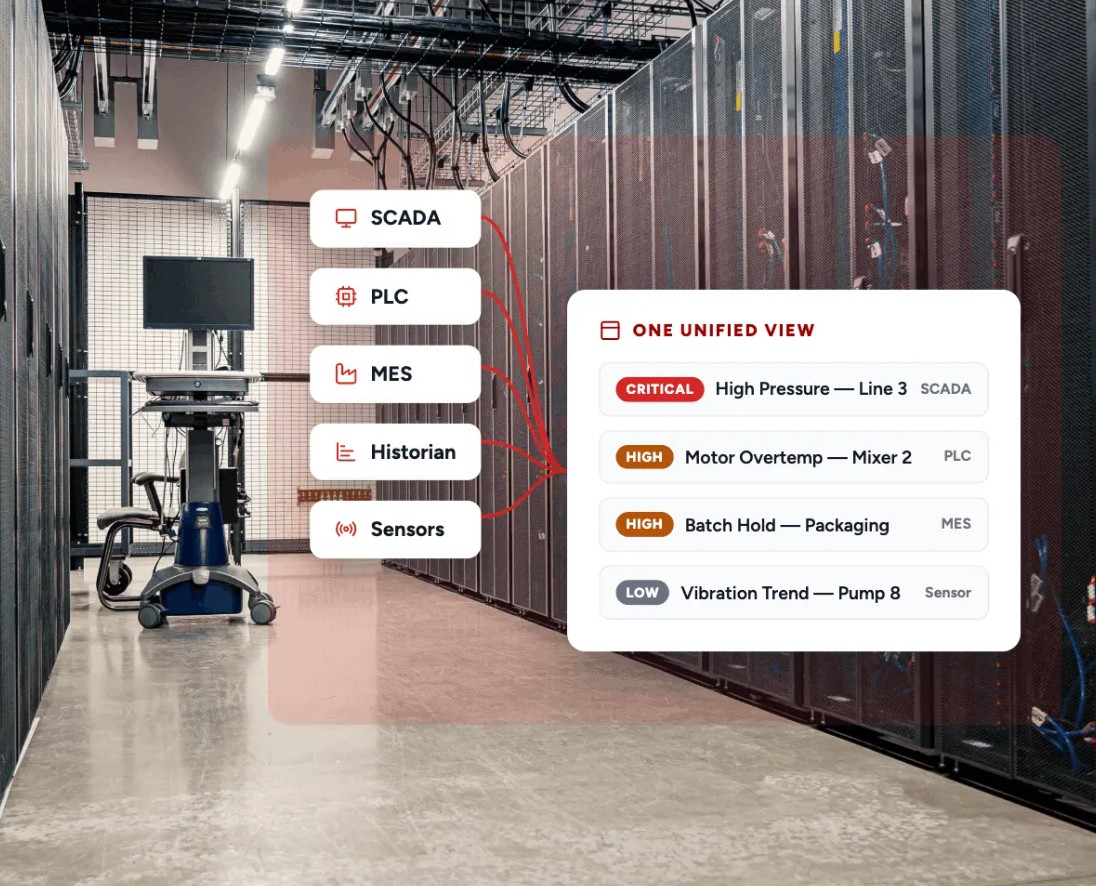
Alarm Cast extends Proficy iFIX and CIMPLICITY alarms and events to mobile and other communication devices, helping operations teams stay informed and respond when attention is required.

Extend alarm notifications

Send HMI SCADA alarm and event notifications to smartphones, tablets, pagers, email, radios, PA systems, and other supported devices.

Reach the right people

Use distribution lists and configurable notification rules to route alarm information to responsible personnel.

Support operations at scale

Deploy Alarm Cast with a single SCADA server or centralize notifications across multiple iFIX and CIMPLICITY systems for larger applications.

Explore the Alarm Cast data sheet
Placeholder image
Get Started

Keep operations connected to critical alarms

Explore HMI SCADA software

Discover solutions for monitoring, visualization, control, and alarming.

Explore Proficy iFIX

Explore flexible HMI SCADA for industrial operations.

Explore Proficy CIMPLICITY

Explore enterprise HMI SCADA for complex operations.

Explore the HMI SCADA catalog

Browse HMI SCADA products and capabilities.

Core Capabilities

Core capabilities

Alarm Cast extends Proficy iFIX and CIMPLICITY alarm information to additional users and devices, with capabilities for routing, scheduling, centralized notification, and managing high volumes of alarm communications.

Deliver alarms across multiple device types

Send alarm notifications through supported communication methods including email, smartphones and tablets, pagers, mobile computers, PA systems, two-way radios, and text-to-speech. Support different device types from the same Alarm Cast system to accommodate different operational environments.

Placeholder image

Route notifications to the right personnel

Create distribution lists that allow a single alarm transaction to notify multiple destinations. Configure rules that map alarm notifications to responsible users or groups, making it easier to manage who receives specific operational information.

Placeholder image

Align notifications with work schedules

Configure destination schedules to control when individual users or groups receive alarm notifications. Support shift-based operations by directing messages to personnel based on defined schedules and availability.

Placeholder image

Centralize notifications across SCADAs

Use Alarm Cast Enterprise to aggregate notifications from multiple iFIX or CIMPLICITY projects through a centralized Alarm Cast server. Gateway capabilities allow multiple systems to share centralized notification resources and configuration.

Placeholder image

Manage alarm and communication volume

Use Alarm Cast Enterprise throttling capabilities to manage excessive alarm activity and communication traffic. Alarm throttling can suppress notifications from excessively activating or chattering alarms, while carrier throttling helps control excessive transactions to messaging providers.

Placeholder image

Support reliable alarm delivery

Maintain detailed transaction logs for messages and messaging-provider connectivity. Alarm Cast Enterprise also supports automated carrier link failover, allowing transactions to be routed through an available alternate provider when configured.

Placeholder image
SCADA Ultimate

Get more from HMI SCADA with Proficy SCADA Ultimate

Resources

Resources

View more
Related Products

Related products

SCADA HMI Clients

Extend HMI SCADA access to more users and devices.

HMI SCADA Software

Explore visualization, monitoring, and control solutions.

Proficy iFIX

Flexible HMI SCADA for industrial operations.

Proficy CIMPLICITY

Enterprise HMI SCADA for complex operations.

FAQs

Frequently asked questions

What is SCADA alarming?

SCADA alarming is the process of detecting abnormal, important, or potentially unsafe operating conditions and alerting operators or other personnel so they can assess and respond. Alarms can indicate equipment faults, process deviations, communication failures, or values moving outside configured operating limits.

SCADA systems typically display alarms within the operator interface. SCADA alarm notification software can extend those alarms beyond the primary HMI SCADA workstation, helping maintenance teams, supervisors, technicians, and other personnel stay informed when they are away from the control room.

What is SCADA alarm notification software?

SCADA alarm notification software sends alarms and events from a SCADA system to people through additional communication channels and devices. Depending on the system, notifications may be delivered through smartphones, tablets, email, pagers, two-way radios, PA systems, or other supported devices.

Alarm Cast provides alarm and event notification services for Proficy iFIX and CIMPLICITY. It connects with the HMI SCADA alarm system to extend operational notifications to personnel who may not be actively monitoring an HMI workstation.

How do SCADA alarm notifications work?

SCADA alarm notification software receives alarm or event information from the HMI SCADA system and distributes notifications according to configured rules. Administrators can define which alarms generate notifications, who should receive them, and which communication methods should be used.

Alarm Cast works with Proficy iFIX and CIMPLICITY alarms and events. It supports destinations and distribution lists that help organizations route notifications to the appropriate personnel and devices.

What devices can receive SCADA alarm notifications?

SCADA alarm notifications can be delivered through a variety of communication channels and devices, including smartphones, tablets, email, pagers, mobile computers, two-way radios, PA systems, and text-to-speech.

Alarm Cast supports multiple device types from the same system, helping industrial organizations deliver alarm information through the communication methods that best fit different roles and operating environments.

How can SCADA alarm notifications help improve response times?

SCADA alarm notifications can improve awareness by delivering important alarm information to personnel even when they are not directly monitoring the HMI. This can help maintenance teams, technicians, supervisors, and other responsible personnel learn about operational issues sooner and begin assessing the appropriate response.

Notification rules, distribution lists, and schedules can also help route alarm information to the people responsible for responding, reducing reliance on someone continuously monitoring a particular workstation.

Can SCADA alarm notifications be routed based on shifts or schedules?

Yes. SCADA alarm notification software can use schedules and notification rules to help route alarms according to personnel availability, shifts, or other operating requirements. This is particularly useful in facilities with multiple shifts or changing areas of responsibility.

Alarm Cast Enterprise supports destination schedules that define when a user's device should receive notifications. Organizations can use these schedules with notification rules and distribution lists to direct alarm information according to their staffing structure.

How can SCADA alarm notification software help reduce alarm noise?

SCADA alarm notification software can help manage excessive notifications by controlling when and how alarm messages are distributed. This is important when chattering alarms or unusually high alarm activity could generate large numbers of unnecessary messages.

Alarm Cast Enterprise includes alarm throttling capabilities that can suppress notifications from alarms that are activating excessively. It also provides carrier throttling to manage excessive transaction volumes to messaging providers. Effective alarm management should also address the underlying alarm configuration and engineering practices that create unnecessary alarms.

Can SCADA alarms be sent to multiple people?

Yes. SCADA alarm notification systems can use groups or distribution lists to send the same alarm notification to multiple people or devices. This can be useful when several roles need to know about an event or when responsibility is shared across a team.

Alarm Cast supports server-level distribution lists that group multiple destinations together. Administrators can manage membership in these lists without having to update the notification configuration for every individual alarm.

How can SCADA alarm notification software support large or multi-site operations?

Large industrial operations may need to manage notifications from multiple SCADA servers or projects. Centralized alarm notification can help organizations share notification resources and manage alarm communications across larger environments.

Alarm Cast Enterprise can aggregate notifications from multiple Proficy iFIX or CIMPLICITY systems through a centralized Alarm Cast server. Alarm Cast Standard can act as a gateway to the Enterprise server, supporting larger applications that require centralized notification capabilities.

What is the difference between Alarm Cast Standard and Alarm Cast Enterprise?

Alarm Cast Standard is designed for a single SCADA server that needs to provide alarm and event notifications. It can also act as a gateway to a centralized Alarm Cast Enterprise server.

Alarm Cast Enterprise is designed for larger applications that need to aggregate notifications from multiple Proficy iFIX or CIMPLICITY systems. It adds capabilities including alarm throttling, carrier throttling, destination scheduling, automated carrier link failover, multiple-project support, and additional security controls.