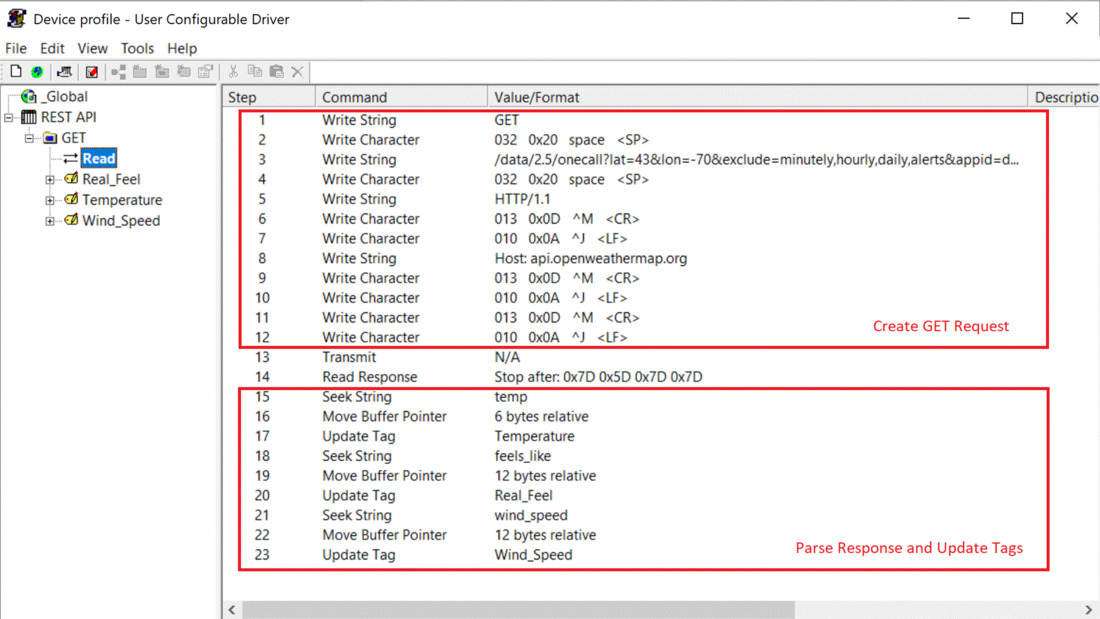
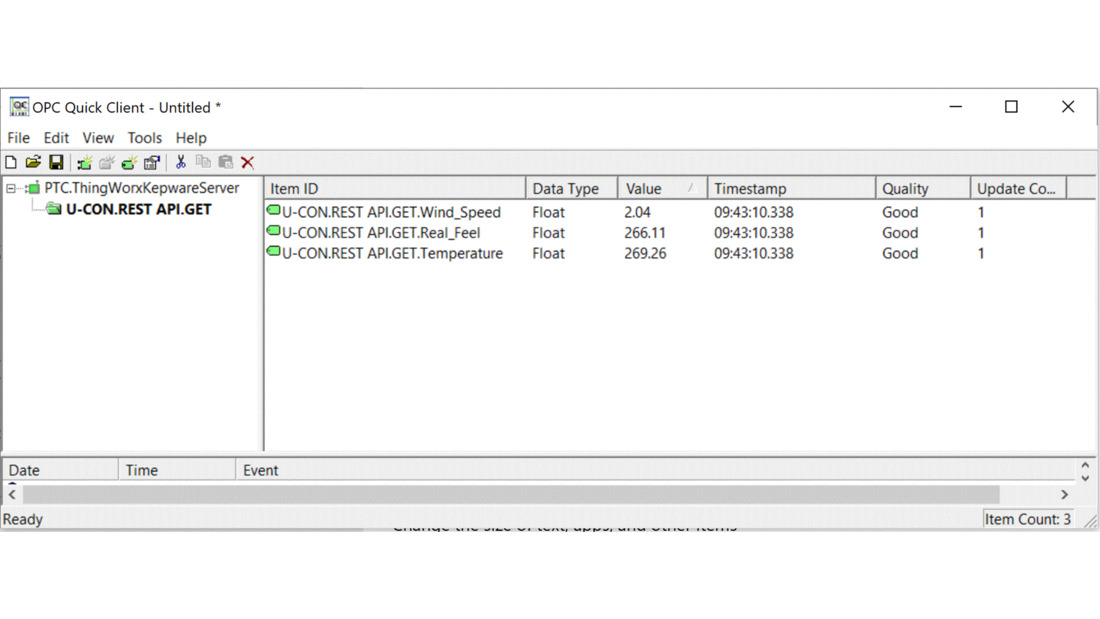
For the sake of the upcoming demonstration, we will be working with the Open Weather Map API located at api.openweathermap.org. This open API provides the ability to issue HTTP GET requests to read weather data for a given area. Here is an example of the HTTP endpoint being accessed by a web browser and the associated payload within the response.
http://api.openweathermap.org/data/2.5/onecall?lat=43.65&lon=70.25&exclude=hourly,daily,minutely&appid={Your app key}
Response:
{
"lat": 43.65,
"lon": -70.25,
"timezone": "America/New_York",
"timezone_offset": -14400,
"current": {
"dt": 1687889314,
"sunrise": 1687856474,
"sunset": 1687911995,
"temp": 294.15,
"feels_like": 294.66,
"pressure": 1009,
"humidity": 90,
"dew_point": 292.45,
"uvi": 1.35,
"clouds": 100,
"visibility": 10000,
"wind_speed": 5.14,
"wind_deg": 160,
"weather": [
{
"id": 804,
"main": "Clouds",
"description": "overcast clouds",
"icon": "04d"
}
]
}
}
Behind the scenes, like in the other examples, an HTTP GET request is sent by the browser to the API. You can find the structure of the GET request using network monitoring tools, like Wireshark. Within Wireshark, there is a feature that enables you to follow a specific TCP stream. Or, in other words, you can view all messages being sent within that TCP socket. When following the TCP stream of the connection, the GET request is outlined:
GET /data/2.5/onecall?lat=43.65&lon=-70.25&exclude=hourly,daily,minutely&appid={my personalized app key} HTTP/1.1
Host: api.openweathermap.org
The HTTP response is as follows:
HTTP/1.1 200 OK
Server: openresty
Date: Tue, 27 Jun 2023 18:21:00 GMT
Content-Type: application/json; charset=utf-8
Content-Length: 393
Connection: keep-alive
X-Cache-Key: /data/2.5/onecall?exclude=hourly,daily,minutely&lat=43.65&lon=-70.25
Access-Control-Allow-Origin: *
Access-Control-Allow-Credentials: true
Access-Control-Allow-Methods: GET, POST
{"lat":43.65,"lon":-70.25,"timezone":"America/New_York","timezone_offset":-14400,"current":{"dt":1687890040,"sunrise":1687856474,"sunset":1687911995,"temp":294.21,"feels_like":294.72,"pressure":1009,"humidity":90,"dew_point":292.51,"uvi":1.35,"clouds":100,"visibility":10000,"wind_speed":5.14,"wind_deg":160,"weather":[{"id":804,"main":"Clouds","description":"overcast clouds","icon":"04d"}]}}
The goal within the Kepware custom driver is to rebuild this exact based HTTP request and to parse the associated response.